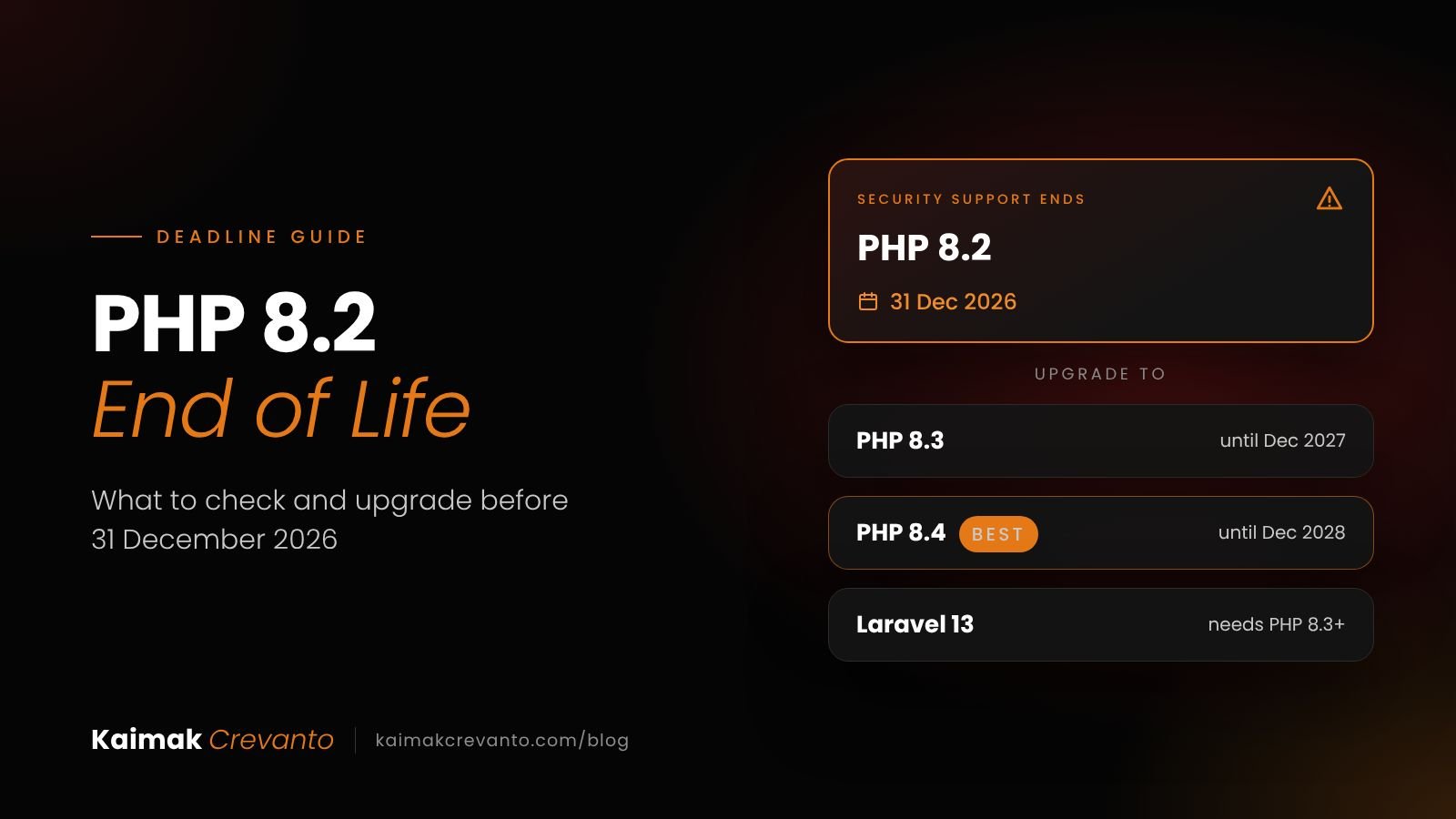
Short answer: PHP 8.2 end of life is 31 December 2026. After that date it gets no more security fixes. Your website will keep running, but any new flaw found in PHP 8.2 will never be patched. Move to PHP 8.3 or, better, 8.4 before the deadline, and upgrade Laravel apps at the same time.
If your agency looks after client websites, or your business runs a Laravel app that was built a few years ago, this deadline is now about six weeks away. This guide explains what end of life really means, how to check your version, what usually breaks, and a step-by-step upgrade plan you can hand to your developer. It is the same checklist we use at Kaimak Crevanto, where we have been building and maintaining Laravel applications since 2018.
What does PHP 8.2 end of life mean?
It means the PHP project stops releasing any updates for PHP 8.2, including security fixes, after 31 December 2026.
Every PHP version gets two years of active support (bug fixes and security fixes), then two years of security fixes only. According to the official PHP supported versions page, PHP 8.2 was released in December 2022, active support ended on 31 December 2024, and security support ends on 31 December 2026.
Your site will not switch off on 1 January 2027. The risk builds quietly: when a new vulnerability (a security hole) in PHP 8.2 is published, there will be no official fix, and attackers can easily find servers that still run it.
| PHP version | Security support ends | What we advise |
|---|---|---|
| PHP 8.1 | 31 Dec 2025 (already ended) | Upgrade now |
| PHP 8.2 | 31 Dec 2026 | Upgrade before the deadline |
| PHP 8.3 | 31 Dec 2027 | Acceptable, but only one more year |
| PHP 8.4 | 31 Dec 2028 | Best target for most websites and apps |
| PHP 8.5 | 31 Dec 2029 | Good for new projects; check your packages first |
Why does it matter for US and UK businesses?
Apart from security, unsupported software can cost you certifications, hosting options and client trust.
- UK Cyber Essentials. The scheme requires software in scope to be licensed and supported, and unsupported software must be removed or isolated. If your web server is in scope, an end-of-life PHP version can count against you.
- Your hosting provider. Some managed hosts retire old versions early. For example, Acquia ended PHP 8.2 support on its platform on 1 October 2026 and moved remaining environments to PHP 8.3. A forced upgrade you did not test is worse than a planned one.
- Client questions. Larger clients and their IT teams increasingly send security questionnaires. "We run a supported PHP version" is an easy answer to give, and a hard one to explain away.
How do I check which PHP version my site uses?
The quickest way is your hosting control panel; your developer can confirm it on the server in a minute.
- cPanel: look for "Select PHP Version" or "MultiPHP Manager".
- Plesk: open the domain, then "PHP Settings".
- On the server: your developer runs php -v. For a Laravel app, php artisan about shows both the PHP and Laravel versions.
One catch: the command line and the website can use different PHP versions on the same server. Ask your developer to check both, and to look at the PHP version required in the project's composer.json file (the file that lists the app's packages).
If you manage many client sites, put every site in one spreadsheet: domain, host, PHP version, framework version and who owns the upgrade. That list is the start of your plan.
What breaks when upgrading from PHP 8.2 to 8.3 or 8.4?
Usually very little in your own code. Most problems come from old packages and missing server extensions.
- Old packages. Apps depend on dozens of add-on packages. An abandoned package that was never updated for newer PHP can block the whole upgrade, so it needs replacing.
- Deprecation warnings. PHP 8.4 deprecates "implicitly nullable" parameters, a common older coding style. A deprecation is a warning today and an error in a future version. The site still works, but logs fill up and the fix should be planned.
- Extensions moved out of PHP. In PHP 8.4, the IMAP, OCI8, PDO_OCI and pspell extensions were moved out of core PHP. If your app reads a mailbox over IMAP or connects to an Oracle database, the server needs extra setup or the code needs a modern replacement.
- Old framework versions. Laravel 9 and older were not built for PHP 8.3 or 8.4. Those apps need a Laravel upgrade before, or together with, the PHP upgrade.
Should I upgrade Laravel at the same time?
In most cases, yes, because the two upgrades share the same testing effort.
Laravel 13 was released on 17 March 2026, requires PHP 8.3 or newer, and receives security fixes until March 2028, according to the Laravel 13 release notes. The Laravel team describes the move from Laravel 12 as a relatively small upgrade.
| Your current Laravel version | What to do |
|---|---|
| Laravel 13 | Move PHP to 8.4. Nothing else needed. |
| Laravel 12 | Upgrade PHP to 8.3 or 8.4, then move to Laravel 13 when convenient. |
| Laravel 10 or 11 | Upgrade PHP and Laravel together, one major version at a time. |
| Laravel 9 or older | Treat it as a proper project: several major versions, with full testing. |
What is the step-by-step upgrade checklist?
Test everything on a copy first, then switch the live site in a quiet hour with a way back.
- List every site and app with its PHP version, Laravel version and host.
- Take a full backup of files and database, and check that you can actually restore it.
- Create a staging copy (a private copy of the site) running the new PHP version.
- Update packages and replace any that are abandoned.
- Run automated tests, then click through the key journeys by hand: login, enquiry forms, checkout or payments, and outgoing emails.
- Fix deprecation warnings that appear in the logs.
- Switch the live site at a low-traffic time, with the old PHP version ready for a quick rollback.
- Watch error logs for 48 hours, then set a reminder for your new version's end-of-life date.
What if I cannot upgrade before 31 December?
Prioritise, protect, and set a date. Do not simply ignore it.
Start with the sites that matter most: anything public-facing that takes logins, personal data or payments. Internal tools behind a login can follow. Keep PHP 8.2 on its latest patch release until you move, and make sure a web application firewall (a filter that blocks common attacks) is switched on at your host.
Some operating system vendors and commercial providers offer paid extended security patches for older PHP versions. That can buy time for a large or complex app, but it is a stopgap, not a plan.
How Kaimak Crevanto can help
We upgrade PHP and Laravel applications for businesses and agencies in the US and UK, from a quick version audit to a full multi-version Laravel upgrade, with testing on staging before anything goes live. Agencies can use us as a white-label Laravel partner under their own brand, and businesses can hire a Laravel developer for the upgrade and ongoing support. Upgrade audits start at [PRICE – confirm with Kiran, USD and GBP]. Send us your site list and we will tell you honestly what needs doing before 31 December.
Not sure what state your website is in? Start with a free website audit, or read our guide on questions to ask before hiring a developer.
Frequently asked questions
Will my site stop working on 1 January 2027?
No. PHP 8.2 will keep running exactly as before. What stops is security fixes, so the site becomes steadily riskier as new vulnerabilities are found and never patched. Some hosts may also remove PHP 8.2 on their own schedule.
How long does a PHP and Laravel upgrade take?
It depends on how far behind the app is. A well-maintained app on Laravel 12 is usually a matter of days, including testing. An app several Laravel versions behind, with old packages, can take a few weeks. A short audit gives you a real estimate before any work starts.
Can you upgrade an old Laravel 6, 7 or 8 app?
Yes. We move it up one major version at a time, fixing breaking changes and replacing abandoned packages at each step, and test on a staging copy throughout. For very old apps we will also tell you honestly if a partial rebuild would cost less than the upgrade.
Is it safe to upgrade a live site?
Yes, if it is done in the right order: full backup, staging copy, testing, then a planned switch at a quiet time with a rollback ready. The risk comes from upgrading the live server directly without testing, which is what an unplanned host-forced upgrade can look like.
Should I move to PHP 8.3, 8.4 or 8.5?
For most sites, PHP 8.4 is the sensible target: it is supported until the end of 2028 and widely supported by packages. PHP 8.3 only buys one more year. PHP 8.5 is fine for new projects once you have checked that every package you use supports it.
Written by Kiran Vibhakar, founder of Kaimak Crevanto, Rajkot, India. 10+ years in technology, 190+ projects delivered, building websites and Laravel applications since 2018. Last updated: 19 November 2026.